XR Solutions For Enterprise are revolutionizing the way businesses operate by integrating advanced technologies like Virtual Reality (VR), Augmented Reality (AR), and Mixed Reality (MR). These solutions enable companies to create immersive environments that enhance training, streamline product development, and elevate customer engagement. By adopting XR technologies, enterprises can gain a competitive edge, driving innovation and efficiency across various sectors.
XR Solutions For Enterprise offered by RoT STUDIO empower businesses to harness these technologies without the need for specialized technical skills. Our platform provides the tools necessary for companies to develop custom XR applications, from virtual prototypes to interactive training modules, allowing them to optimize their operations and achieve greater success in an increasingly digital world.
What is The Future Of XR?
The future of Extended Reality (XR), which includes Virtual Reality (VR), Augmented Reality (AR), and Mixed Reality (MR), is one of the most exciting frontiers in technology. As a Virtual Reality engineer at RoT STUDIO, I’ve observed the significant strides XR has made across various industries, moving beyond its initial niche in gaming to becoming a critical tool in fields such as education, healthcare, manufacturing, and beyond.
At RoT STUDIO, we are at the forefront of this transformation. Our platform is designed to empower users, even those without any coding or technical knowledge, to create immersive and interactive XR content. The ability to develop such content without extensive technical expertise is pivotal as it opens up XR technology to a wider audience, enabling innovation and adoption at an unprecedented rate.
One of the key trends shaping the future of XR is its increasing integration into everyday business operations. Companies are leveraging XR for everything from virtual meetings and collaboration to sophisticated simulations for training and development. The use of XR in business is not just a novelty; it is becoming an essential component for companies aiming to stay competitive in a rapidly evolving market.
Moreover, XR is revolutionizing how we interact with digital content. The immersive nature of XR technologies allows for more engaging and effective experiences, whether it’s through virtual classrooms, product demonstrations, or even remote medical procedures. This shift is setting the stage for a future where XR becomes as ubiquitous as the internet is today.
What is An Example Of XR?
In the context of XR, Virtual Reality serves as a prime example of how these technologies are being utilized to enhance education and training. At RoT STUDIO, we’ve developed several innovative VR training modules that are being used across various sectors.
For instance, our Occupational Health and Safety Risk Hunt) module is a powerful tool for corporate training. This VR experience allows employees to navigate through simulated work environments where they must identify and mitigate potential hazards. By engaging in these risk assessments within a virtual space, employees can develop their skills in a safe and controlled environment, leading to better preparedness and reduced workplace accidents
Another compelling example is our Anatomy VR Brain Module. This module is designed for the healthcare sector, providing medical students and professionals with an interactive, 3D exploration of the human brain. Such a tool is invaluable for gaining a deeper understanding of complex anatomical structures, something that traditional textbooks or 2D images simply cannot match.
These examples underscore how XR, and more specifically VR, is being leveraged to enhance learning and operational efficiency across diverse fields. RoT STUDIO’s platform is instrumental in making these advancements accessible, enabling the creation of sophisticated XR content without the need for specialized technical skills. As XR technology continues to evolve, the possibilities for its application will only expand, further embedding it into the fabric of our daily lives and work environments.
How is XR Used in Business?
Extended Reality (XR), encompassing Virtual Reality (VR), Augmented Reality (AR), and Mixed Reality (MR), is rapidly transforming the business landscape across various industries. As a VR engineer at RoT STUDIO, I’ve been directly involved in developing and implementing XR solutions that drive innovation, efficiency, and engagement in the corporate world.
RoT STUDIO has been instrumental in enabling businesses to harness the power of XR without requiring specialized technical skills. Our platform empowers companies to create immersive experiences that can be tailored to specific business needs, from training and development to product design and customer engagement.
Applications of XR in Different Sectors
- Corporate Training and Development
XR is revolutionizing the way companies train their employees. Traditional training methods often lack engagement and practical application, leading to lower retention rates. With RoT STUDIO, businesses can create interactive VR training modules that simulate real-world scenarios, providing employees with hands-on experience in a controlled environment.
For example, our İSG Risk Avı (Occupational Health and Safety Risk Hunt) module is widely used in industries where safety is paramount. This VR module allows employees to navigate through a virtual work environment, identifying potential hazards and learning how to mitigate them effectively. The immersive nature of VR ensures that the lessons learned are more impactful and memorable.
- Product Design and Prototyping
In the automotive and manufacturing sectors, XR is being used to accelerate the product design and prototyping process. RoT STUDIO’s platform enables designers and engineers to create virtual prototypes of new products, allowing for thorough testing and iteration before any physical models are built. This not only reduces costs but also shortens the time to market.
The ability to visualize and interact with a product in a virtual environment allows for a more dynamic design process. Teams can collaborate in real-time, making adjustments and improvements without the need for physical meetings or models. This flexibility is particularly valuable in today’s globalized market, where teams are often dispersed across different locations.
- Customer Engagement and Marketing
XR is also transforming the way businesses engage with their customers. By creating immersive marketing experiences, companies can offer their customers a more personalized and interactive way to explore their products and services. RoT STUDIO’s tools allow businesses to develop VR showrooms, virtual product demonstrations, and even interactive tours that can be accessed from anywhere in the world.
For instance, in the real estate industry, potential buyers can take a virtual tour of a property without having to visit in person. This not only saves time but also allows customers to experience the property in a way that photos or videos cannot replicate. Similarly, in the retail sector, virtual try-ons and product customization tools are becoming increasingly popular, enhancing the customer experience and driving sales.
- Remote Collaboration and Meetings
With the rise of remote work, XR is playing a crucial role in facilitating collaboration across geographically dispersed teams. RoT STUDIO’s platform supports virtual meetings and collaborative workspaces where team members can interact in real-time, regardless of their physical location. This capability is particularly valuable in industries where physical presence was traditionally required, such as construction, architecture, and engineering.
Virtual meetings in XR environments go beyond simple video conferencing by allowing participants to interact with 3D models, data visualizations, and other interactive elements. This level of immersion leads to more effective communication and decision-making, as all team members can contribute to and engage with the content in a shared virtual space.
These are just a few examples of how XR is being utilized in the business world. At RoT STUDIO, we are committed to providing the tools and support necessary for companies to explore and implement these technologies, driving innovation and growth across industries. As XR continues to evolve, its applications in business will undoubtedly expand, offering new opportunities for efficiency, engagement, and creativity.
What are XR Solutions?
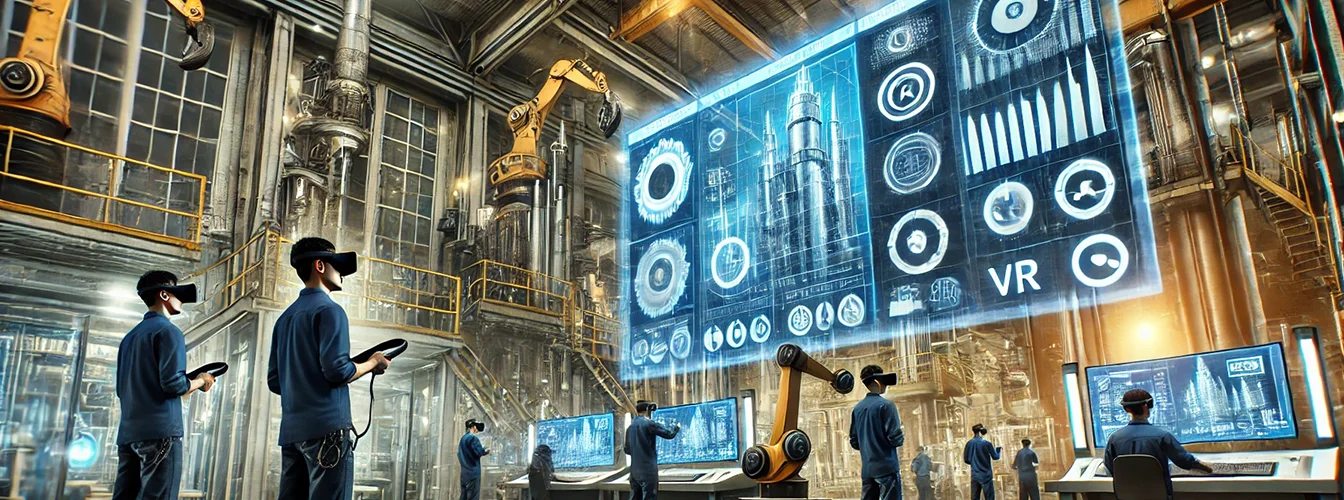
XR Solutions refer to a suite of technologies that encompass Virtual Reality (VR), Augmented Reality (AR), and Mixed Reality (MR), all designed to create immersive experiences that merge the physical and digital worlds. These solutions are increasingly being adopted across various industries due to their ability to enhance user engagement, streamline complex processes, and offer new ways of interacting with both digital and physical environments.
At RoT STUDIO, we provide a platform that enables users to create and customize these XR experiences without needing advanced technical skills. Our platform acts as a versatile toolkit, similar to a “LEGO set,” where users can combine various elements to build intricate virtual worlds. Whether you’re designing a virtual classroom, prototyping a new product design, or developing an immersive training program, XR Solutions allow you to craft experiences that are not only interactive but also highly effective in achieving your goals.
Where is XR Used?
XR technology is being utilized in a wide range of sectors, each harnessing its potential to solve specific challenges and open up new possibilities.
- Education: In the educational sector, XR is transforming how students learn by providing interactive and immersive experiences that go beyond traditional teaching methods. For example, RoT STUDIO’s platform allows educators to create virtual lessons where students can explore complex subjects, such as anatomy, in a 3D environment. Our Anatomy VR Brain Module offers students an unprecedented level of detail and interactivity, helping them understand the human brain in ways that textbooks cannot.
- Automotive Industry: In automotive design and manufacturing, XR is revolutionizing the way products are conceptualized, designed, and tested. With RoT STUDIO, designers can create detailed virtual prototypes of vehicles, allowing for real-time adjustments and collaboration across global teams. This not only speeds up the design process but also reduces costs by minimizing the need for physical prototypes. Virtual prototyping also enables more thorough testing of designs before they go into production, ensuring higher quality and safety standards.
- Healthcare: XR is making significant inroads in the healthcare industry by providing realistic simulations for training medical professionals. RoT STUDIO’s platform supports the development of detailed VR training modules that replicate real-world medical procedures. For instance, our Colorectal Surgery Nursing module helps nurses practice complex surgical techniques in a controlled virtual environment, improving their skills and confidence without the risks associated with live training.
- Corporate Training and Safety: In corporate environments, XR is used to enhance training programs and improve workplace safety. RoT STUDIO’s Occupational Health and Safety Risk Hunt module is a prime example of how companies can use XR to simulate hazardous situations, allowing employees to learn and practice safety protocols in a risk-free virtual setting. This kind of training is not only more engaging but also more effective, as it allows for hands-on experience that traditional training methods cannot provide.
As XR technology continues to evolve, its applications are expanding into new industries and areas, from retail and real estate to entertainment and beyond. The versatility and effectiveness of XR Solutions make them a powerful tool for any business looking to innovate and stay ahead in today’s digital landscape. RoT STUDIO is committed to providing the tools and expertise necessary to harness the full potential of XR, ensuring that our clients can create impactful and memorable experiences for their users.
What Are The Features Of XR?
XR (Extended Reality) technologies offer a wide range of features that make them invaluable tools for various industries. As an experienced Virtual Reality engineer at RoT STUDIO, I’ve had the opportunity to work with some of the most advanced features that XR has to offer. One of the key aspects of XR is its ability to create immersive, interactive environments that can be tailored to specific needs, whether for training, education, or product development.
At RoT STUDIO, our platform is designed to make these features accessible even to those without extensive technical knowledge. For instance, users can create complex VR environments through simple drag-and-drop interfaces, allowing for rapid development and deployment of XR content. This ease of use is coupled with powerful customization options, enabling the creation of highly detailed and realistic virtual worlds. Another standout feature of XR is its ability to integrate with existing systems, allowing for seamless interaction between the physical and virtual worlds. This is particularly useful in industries such as automotive design, where virtual prototypes can be tested and modified in real-time, leading to faster innovation cycles.
What Technology is Used For XR?
The technology that powers XR is a combination of hardware and software components, each playing a crucial role in delivering a seamless and immersive experience. At RoT STUDIO, we utilize cutting-edge technologies to ensure our platform meets the highest standards of performance and reliability. On the hardware side, XR relies on devices such as VR headsets, AR glasses, and motion controllers, which allow users to interact with virtual environments in a natural and intuitive way. These devices are equipped with sensors that track the user’s movements and adjust the virtual environment accordingly, creating a sense of presence that is essential for an immersive experience.
In terms of software, XR is powered by advanced rendering engines and development tools that are capable of creating highly detailed and interactive virtual environments. At RoT STUDIO, we leverage these tools to build our platform, ensuring that users can create and deploy XR content without needing to write code or have deep technical expertise. Additionally, our platform supports a wide range of file formats and APIs, allowing for easy integration with other systems and ensuring compatibility with various XR devices. This combination of hardware and software technologies enables XR to deliver experiences that are not only immersive but also highly practical and applicable across different industries.
What Differentiates Accenture in XR?
Accenture has emerged as a leader in the XR (Extended Reality) space by leveraging its deep expertise in technology and innovation to create transformative solutions for businesses across various industries. What sets Accenture apart in the XR landscape is its ability to integrate cutting-edge XR technologies into broader digital strategies, enabling companies to achieve their business goals more effectively.
One of the key differentiators for Accenture is its end-to-end approach to XR solutions. From conceptualization and strategy development to implementation and support, Accenture provides a comprehensive suite of services that covers every aspect of the XR journey. This holistic approach ensures that the XR solutions are not just technologically advanced but also aligned with the specific needs and goals of each client. Additionally, Accenture’s strong partnerships with leading XR technology providers enable them to offer the latest innovations and tools, ensuring that their clients stay ahead in the rapidly evolving digital landscape.
Moreover, Accenture’s focus on scalability and customization allows businesses to deploy XR solutions that can grow with their needs. Whether it’s creating immersive training programs, enhancing customer experiences, or optimizing operations, Accenture’s XR solutions are designed to deliver tangible results and drive long-term success.
What are The Negative Impacts of XR?
While XR technologies offer numerous benefits, they also come with potential negative impacts that businesses must consider when adopting these solutions. One of the primary concerns is the risk of over-reliance on XR, which can lead to decreased interpersonal interactions and a potential detachment from the real world. This can be particularly problematic in sectors like healthcare or education, where the human element is crucial to the success of the service.
Another negative impact of XR is the possibility of technology-induced discomfort, commonly referred to as cybersickness. Users may experience symptoms such as nausea, dizziness, and headaches, especially during prolonged use of VR headsets. This can limit the effectiveness of XR solutions, particularly in training environments where users are required to engage with the technology for extended periods.
Privacy and data security are also significant concerns with XR technologies. The immersive nature of XR experiences often requires the collection and processing of vast amounts of personal data, including biometric information. Without proper safeguards, this data could be vulnerable to breaches, leading to severe consequences for both businesses and individuals.
Finally, the high cost of implementing XR solutions can be a barrier for many organizations. Developing and deploying XR technologies requires substantial investment in both hardware and software, as well as ongoing maintenance and updates. For smaller businesses or those with limited budgets, these costs can outweigh the potential benefits, making it challenging to justify the adoption of XR solutions.
At RoT STUDIO, we understand these challenges and work closely with our clients to mitigate these risks while maximizing the benefits of XR technologies. By providing flexible, scalable, and secure XR solutions, we help businesses navigate the complexities of this emerging field, ensuring that they can leverage the power of XR without compromising on safety, privacy, or cost.
What is The Difference Between XR Design and UX Design?
XR (Extended Reality) design and UX (User Experience) design are both critical components of creating immersive and engaging digital experiences, but they differ significantly in their focus, methodologies, and challenges. As an experienced Virtual Reality engineer at RoT STUDIO, I’ve had the opportunity to work on both XR and UX design projects, and the distinctions between these two fields are essential for understanding how to create effective and user-friendly XR content.
- Focus and Scope:
- XR Design: XR design is centered around creating immersive environments that blend the physical and digital worlds through technologies like Virtual Reality (VR), Augmented Reality (AR), and Mixed Reality (MR). The primary goal of XR design is to craft experiences that fully engage the user’s senses, creating a sense of presence within the virtual environment. This involves not only visual and auditory elements but also spatial interactions and haptic feedback.
- UX Design: UX design, on the other hand, focuses on the overall experience of the user when interacting with a product, service, or system. It encompasses everything from the user interface (UI) design to the flow of interactions, ensuring that the experience is intuitive, efficient, and satisfying. While UX design is often associated with 2D digital products like websites and mobile apps, its principles can be applied to a wide range of interactions, including physical products and services.
- Design Methodologies:
- XR Design: The process of XR design requires a multidisciplinary approach that integrates aspects of 3D modeling, animation, human-computer interaction (HCI), and environmental design. Designers must consider the spatial dynamics of the virtual environment, ensuring that the user can navigate and interact with the space naturally. In XR, the designer must also account for the user’s physical movements, which add a layer of complexity to the design process. At RoT STUDIO, we emphasize the importance of testing and iterating XR experiences to refine the sense of immersion and ensure that the user’s experience is both seamless and engaging.
- UX Design: UX design follows a user-centered approach that prioritizes understanding the needs, behaviors, and pain points of the target audience. The process typically involves research, wireframing, prototyping, and usability testing to create an interface that is not only functional but also enjoyable to use. In UX design, the goal is to reduce friction and enhance the user’s interaction with the product, making the experience as smooth and efficient as possible.
- Challenges:
- XR Design: One of the most significant challenges in XR design is maintaining a high level of immersion while ensuring comfort and usability. Issues such as motion sickness, hardware limitations, and the steep learning curve for new users can all impact the effectiveness of an XR experience. Designers must carefully balance these factors, creating environments that are immersive yet comfortable for extended use. Additionally, the need for real-time rendering and the integration of various sensory inputs can make XR design technically demanding.
- UX Design: The primary challenge in UX design is creating a user experience that is both intuitive and efficient while accommodating a wide range of user preferences and behaviors. Designers must also consider accessibility, ensuring that the product can be used by people with varying abilities. In UX design, there is a constant need to stay updated with evolving user expectations and technological advancements, which can significantly influence the design process.
While both XR design and UX design aim to create engaging and user-friendly experiences, they do so through different approaches and with distinct challenges. At RoT STUDIO, we leverage our expertise in both areas to deliver XR solutions that not only captivate users but also provide a seamless and intuitive experience, bridging the gap between the virtual and real worlds.